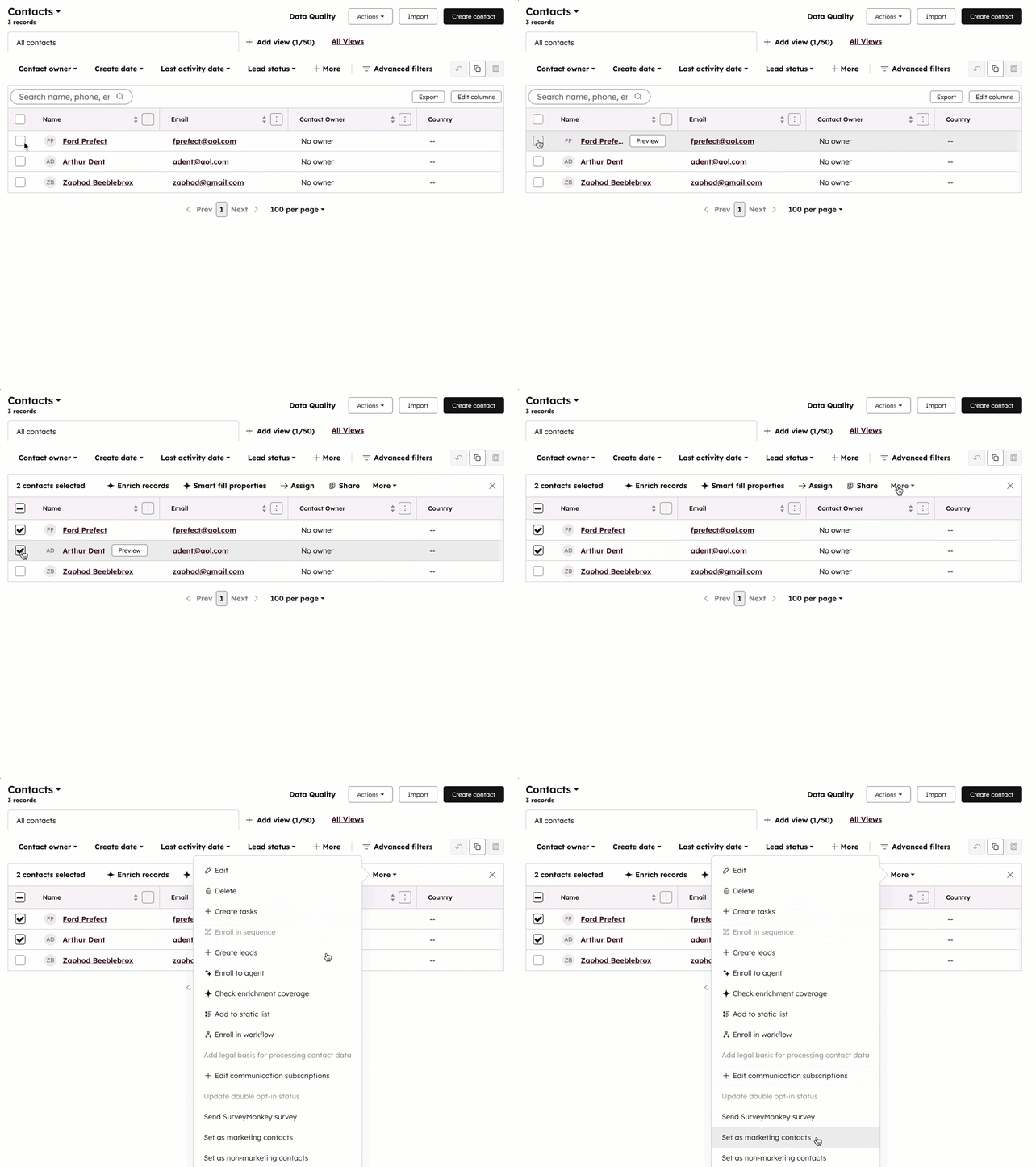
You can set existing contacts as marketing in bulk or individually from the contacts index page view.
To manually set existing contacts as marketing or non marketing from an index page view:
- In your HubSpot account, navigate to CRM > Contacts.
- Select the checkboxes next to contacts you want to set as marketing contacts. You can set filters or use an existing saved view to help you select the correct contacts (e.g., My non-marketing contacts view)
- At the top of the table, click the More dropdown menu and select Set as marketing contacts.
- In the dialog box, enter the number of contacts and click Set [x] contacts. The contacts will be set as marketing immediately.